Spending countless hours at a desk, whether in a bustling office or a quiet home setup, can take a significant toll on your body. If you’ve ever ended your workday with nagging back pain, stiff shoulders, or a general sense of fatigue, your office chair is likely a major contributor. Investing in an ergonomic office chair isn’t just about luxury; it’s a crucial decision for your long-term health, productivity, and overall well-being. These specialized chairs are engineered to support your body’s natural posture, mitigating the adverse effects of prolonged sitting and transforming your work experience from a daily endurance test into one of comfort and efficiency.
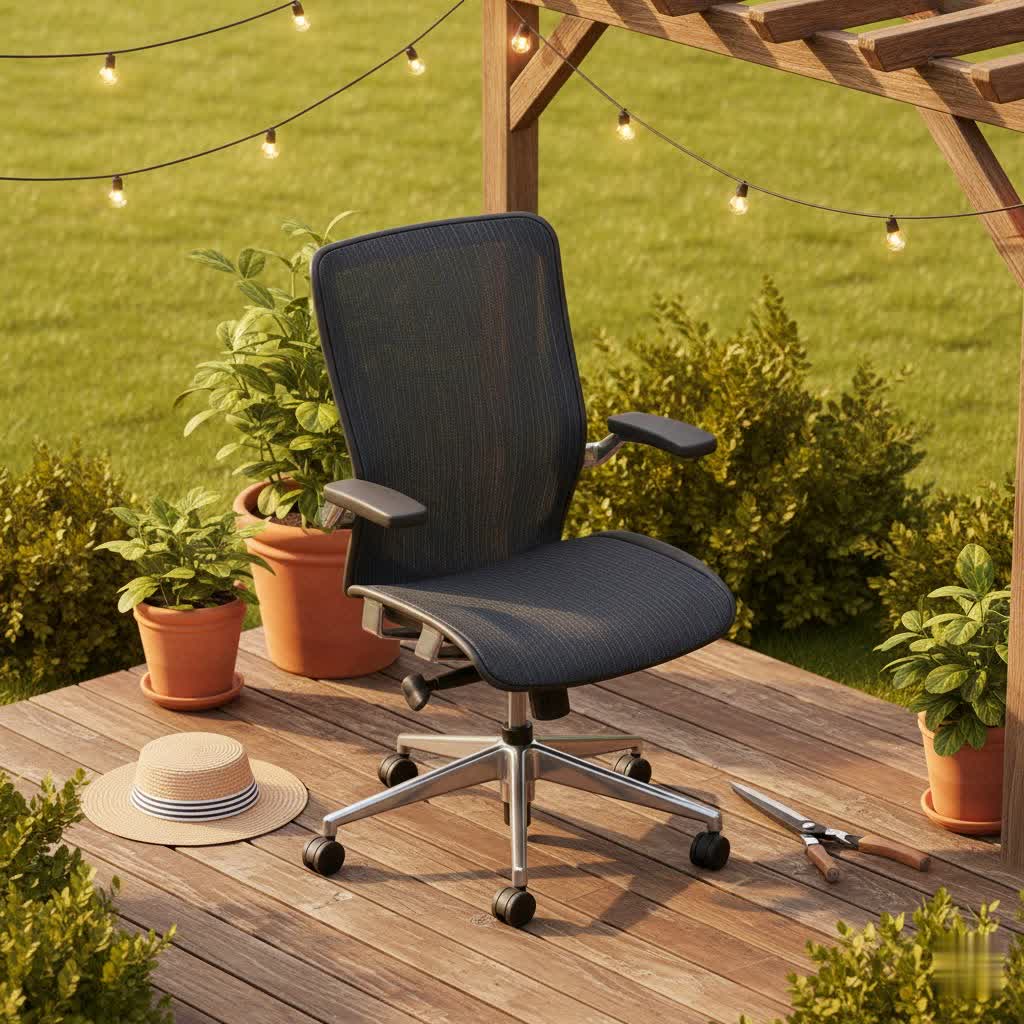
The Essence of Ergonomics: Why Your Office Chair Matters
An ergonomic office chair is more than just a place to sit; it’s a carefully designed tool that adapts to your body, promoting a healthy posture and reducing physical strain. Unlike conventional chairs that force your body into static, often unnatural positions, ergonomic chairs are built with adjustability and support at their core. This thoughtful design helps in preventing common workplace ailments such as lower back pain, neck stiffness, and poor circulation.
The benefits extend beyond mere comfort. A properly adjusted ergonomic chair can significantly:
- Support Natural Posture: It cradles the natural curve of your spine, encouraging you to maintain a neutral alignment.
- Reduce Pain and Discomfort: By alleviating pressure points and providing adequate support, it can drastically lessen back, neck, shoulder, and hip pain.
- Improve Blood Circulation: With proper seat depth and angle, blood flow to your legs is optimized, preventing numbness and swelling.
- Boost Productivity and Focus: When you’re free from physical discomfort, your concentration improves, leading to enhanced work performance.
- Adapt to All Body Types: Its extensive adjustability ensures a personalized fit for individuals of varying heights, weights, and body shapes.
Decoding Ergonomics: Understanding the Science Behind Comfort
Ergonomics is the science of designing and arranging workplaces so that people and things interact most efficiently and safely. When applied to office chairs, it means crafting a seat that works with your body, not against it. Traditional chairs often feature rigid structures with minimal adjustability, forcing users into fixed, often unhealthy postures. Over time, this can lead to musculoskeletal disorders, chronic pain, and a decline in overall health.
An ergonomic chair counters this by promoting “dynamic sitting.” Instead of locking you into a single position, it encourages subtle movement and allows for changes in posture throughout the day. This dynamic approach helps to:
- Maintain healthy spinal disc hydration.
- Engage core muscles.
- Reduce static load on specific body parts.
The ultimate goal is to achieve a neutral posture where your feet are flat on the floor, knees are at a 90-degree angle (or slightly lower than your hips), and your hips, shoulders, and ears are aligned.
Essential Features of a Superior Ergonomic Office Chair
The true value of an ergonomic office chair lies in its extensive adjustability and supportive design. When choosing an ergonomic chair, these are the critical features to consider:
Adjustable Height & Tilt
|
Our Picks for the Best Office Chair in 2026
As an Amazon Associate I earn from qualifying purchases.
|
||
| Num | Product | Action |
|---|---|---|
| 1 | COMHOMA Big and Tall Office Chair 400LBS Wide Ergonomic Gaming Chair with Deluxe Embossing Designed Leather with Foot Rest,150°Reclining Adjustable Armrests Pocket Spring Back Support and Pillow |

|
| 2 | Amazon Basics Ergonomic High-Back Office Chair with Flip-Up Arms, Adjustable Lumbar Support, Height Adjustable, 29.5"D x 27.5"W x 44.75"H, Black |
|
| 3 | Vanity Chair with Wheels,Cute Cat Paw Office Chair with Back,360°Rotating Height Adjustable Armless Chair in Vibrant Color-Blocking,Small Desk Chair,Plush Cushion for Bedroom,Make-Up Room Home Office |
|
| 4 | Amazon Basics Classic Puresoft PU Padded Mid-Back Height Adjustable Office Computer Desk Chair with Armrest, 26"D x 23.75"W x 42"H, Black |
|
| 5 | TRALT Office Chair - Ergonomic Desk Chair with Adjustable Lumbar Support, Mesh Computer Chair, Executive Chairs for Home Office Comfortable Lumbar Support (Black) |
|
| 6 | Amazon Basics Ergonomic Executive Office Desk Chair with Lumbar Support, Flip-up Armrests, Adjustable Height, Cream Leather |
|
| 7 | Marsail Ergonomic Office Chair: Office Desk Chair with High Back Mesh and Adjustable Lumbar Support Rolling Work Swivel Task Chairs with Wheel 3D Armrests and Headrest |
|
| 8 | BestOffice - Ergonomic Office Chair - Mid-Back Swivel Desk Chair - Breathable Backrest & Lumbar Support - Adjustable Height - Sponge Seat - Rolling Wheels - Dark Black - for Adults & Women |
|
| 9 | Amazon Basics Executive Desk Chair with Easy Assembly, 275lb Capacity, Oversized Cushion, 29.13"D x 25.2"W x 43.11"H, Ivory Bonded Leather |
|
| 10 | Big and Tall Office Chair with Footrest, High Back Executive Leather Desk Chair with Lumbar Support, Reclining Office Chair with Adjustable Angle, Home Office Ergonomic Computer Gaming Chair |
|
The seat height should be easily adjustable, preferably with a pneumatic lever, allowing your feet to rest flat on the floor and your knees to form a 90-degree angle with the floor. The backrest should offer a tilt or recline mechanism with tension control, letting you lean back to distribute weight and reduce spinal pressure. Look for features like synchro-tilt, where the seat and backrest move in unison.
Lumbar & Back Support
This is paramount for spinal health. A good ergonomic chair will feature adjustable lumbar support that can be moved vertically and in depth to fit the natural inward curve of your lower back. The backrest itself should be tall enough to support your entire back, reaching up to your shoulder blades, preventing slouching and maintaining spinal alignment.
Seat Depth & Width
The seat pan should be deep enough to support most of your thighs, yet leave a 2-4 finger-width gap between the front edge of the seat and the back of your knees. This prevents pressure on your circulation. Many ergonomic chairs feature a “waterfall” front edge to minimize thigh compression. The width should be at least one inch wider than your hips for comfortable hip room.
Adjustable Armrests
Armrests should be adjustable in height, width, and sometimes pivot to support your forearms comfortably while typing or mousing. This helps to reduce strain on your shoulders and neck, allowing them to remain relaxed. When not needed, they should be able to move out of the way.
Headrest (Optional but Beneficial)
While not strictly essential for all, a headrest provides additional support for your head and neck, especially beneficial during recline or when taking short breaks, reducing the load on your cervical spine.
Material Choices
- Mesh Chairs: Highly breathable and lightweight, ideal for warmer climates or individuals who tend to run hot. They offer good ventilation.
- Foam/Fabric Chairs: Provide ample cushioning and can be very supportive. High-density foam retains its shape and offers durability. Fabric is common, but may be less spill-resistant.
- Leather Chairs: Offer a luxurious aesthetic and feel, but are generally less breathable than mesh. Best suited for executive settings or shorter sitting durations.
Stable Base & Smooth Casters
A five-star base made of aluminum or steel is crucial for stability and durability. The casters (wheels) should glide smoothly across your floor surface. Consider rubberized casters for hard floors (wood, tile) and harder nylon casters for carpeted areas to prevent damage and ensure easy movement.
Your Personalized Buying Guide: Selecting the Right Ergonomic Chair
Choosing the perfect ergonomic office chair requires a personalized approach. It’s not a one-size-fits-all purchase, but rather an investment tailored to your specific needs.
Assessing Your Needs
Consider how long you sit each day, your body type (height, weight), and any existing physical discomforts (e.g., chronic back pain, neck issues). This will guide your focus on particular features like advanced lumbar support or specialized height adjustments.
Budgeting for Wellness
Ergonomic chairs come in a range of price points. While budget-friendly options offer basic adjustments, mid-range chairs provide more comprehensive features like breathable mesh and better lumbar support. Premium chairs offer full customizability, superior materials, and enhanced durability, often justifying their cost as a long-term health investment.
Considering Your Workspace
Think about the aesthetic of your office and the type of flooring you have. Mesh chairs might suit a modern, open-plan office, while a leather chair could complement a more traditional executive space. Ensure the chair’s casters are suitable for your floor to prevent damage and ensure smooth mobility.
The Importance of Testing & Warranty
If possible, always test a chair before purchasing. Sit in it for at least 15-20 minutes to gauge comfort and adjustability. Check the warranty and after-sales service; a good warranty reflects the manufacturer’s confidence in their product’s durability.
Certification Matters
Look for chairs that are BIFMA certified. BIFMA (Business and Institutional Furniture Manufacturers Association) standards ensure the safety, durability, and sustainability of furniture products, providing an assurance of quality.
Investing in Your Health: Top Ergonomic Chair Characteristics
Rather than focusing on specific brands, understanding the characteristics of top ergonomic chairs will help you make an informed decision based on your personal needs.
- For the Everyday Professional: Look for chairs with robust, multi-dimensional adjustable lumbar support, adjustable seat depth, and 3D armrests (height, width, pivot). A breathable mesh back combined with a supportive foam seat often offers a balanced blend of comfort and ventilation.
- For Long Hours and Intensive Use: Prioritize chairs with highly durable components, advanced synchronous tilt mechanisms, and extensive customization options for every part of the chair. A comprehensive warranty is also a key indicator of long-term reliability.
- For Budget-Conscious Buyers: Seek chairs that still offer essential ergonomic adjustments like height, basic lumbar support, and tilt. While materials might be simpler, ensure the build quality is sturdy (e.g., a solid five-star base) and that the adjustability allows for a comfortable, healthy posture.
“A good office chair isn’t just a place to sit; it’s a partner in your productivity and a guardian of your health.”
Common Ergonomic Office Chair Issues & Practical Solutions
Even the best ergonomic chairs can encounter issues over time. Knowing how to identify and resolve these common problems can prolong your chair’s lifespan and maintain your comfort.
Back/Neck Pain from Poor Support
If you’re experiencing pain despite having an ergonomic chair, it might not be properly adjusted. Revisit your chair’s settings, ensuring the lumbar support aligns with your lower back’s natural curve, your feet are flat, and your monitor is at eye level. Take regular breaks to stretch and move around.
Squeaking and Noises
Squeaks often arise from loose bolts, worn-out wheels, or friction between moving parts.
- Solution: Identify the source of the noise. Tighten all visible screws and bolts. Lubricate moving mechanisms (like the gas lift, tilt, or swivel plate) with a silicone-based lubricant. Replace any visibly worn casters or components.
Wobbling and Instability
A wobbly chair can be annoying and unsafe. This is typically caused by a loose base, broken casters, or loose bolts connecting the seat to the mechanism.
- Solution: Inspect the chair’s base and tighten any loose bolts or screws. Check casters for damage and replace any broken ones. If the base itself is cracked, it may need replacement.
Stuck Height Adjustment
If your chair won’t stay at the desired height or struggles to adjust, the gas lift cylinder is often the culprit.
- Solution: First, try lubricating the cylinder and lever mechanism. If the issue persists, the gas lift may be worn out and will need to be replaced. This is a common and usually affordable repair.
Uncomfortable Seat Cushion
Over time, seat cushions can flatten or become uncomfortable, leading to hip pressure or numbness.
- Solution: Consider adding a high-density foam cushion for extra padding. If the chair is older, the internal padding might be worn; in some cases, replacing the seat cushion or the entire chair might be necessary for long-term comfort.
Extending the Life of Your Ergonomic Investment: Maintenance Tips
Regular maintenance can significantly extend the lifespan of your ergonomic office chair and ensure it continues to provide optimal support.
- Regular Cleaning: Depending on the material, vacuum mesh or fabric chairs regularly to remove dust and debris. Wipe down leather or vinyl surfaces with a damp cloth and mild cleaner.
- Lubrication: Periodically lubricate the moving parts, such as the gas lift, tilt mechanism, and casters, to prevent squeaks and ensure smooth operation.
- Tighten Fasteners: Inspect and tighten all screws and bolts every few months to prevent wobbling and maintain structural integrity.
- Check Casters: Regularly check the casters for embedded debris (like hair or carpet fibers) and clean them. Replace worn or damaged casters to protect your flooring and maintain mobility.
Conclusion
Choosing the right ergonomic office chair is more than just a purchase; it’s an investment in your health, comfort, and productivity. By understanding the core principles of ergonomics and focusing on key adjustable features like lumbar support, seat depth, and tilt mechanisms, you can select a chair that truly adapts to your body. Regular maintenance will ensure your investment continues to provide lasting benefits, reducing pain, improving posture, and enhancing your focus. Don’t compromise on your well-being – prioritize an ergonomic office chair for a healthier, more efficient workday. What improvements have you noticed since upgrading to an ergonomic office chair?
Frequently Asked Questions
What does “ergonomic” truly mean for an office chair?
Ergonomic means designed for efficiency and comfort in the working environment. For an office chair, this translates to extensive adjustability in key areas like seat height, depth, backrest angle, and armrests, all aimed at supporting your body’s natural posture and reducing strain during long periods of sitting.
How do ergonomic chairs help with back pain?
Ergonomic chairs are designed with adjustable lumbar support that conforms to the natural inward curve of your lower spine. This support helps maintain proper spinal alignment, reduces pressure on the lumbar discs, and encourages a healthy posture, significantly alleviating and preventing back pain.
How often should I adjust my ergonomic chair?
While your initial setup should optimize for your body, it’s beneficial to make small adjustments throughout the day. Regularly changing your recline angle or fine-tuning armrest height can encourage dynamic sitting, promoting circulation and preventing static pressure build-up.
Is a headrest essential for an ergonomic office chair?
A headrest is not always essential, but it can be highly beneficial. It provides extra support for your neck and head, especially when reclining or taking short breaks, which can help reduce strain on your cervical spine. For individuals with neck issues, a headrest is strongly recommended.
Can an ergonomic chair really improve my productivity?
Yes, absolutely. When you’re comfortable and your body is properly supported, you experience fewer distractions from pain or discomfort. This allows you to maintain focus for longer periods, leading to increased concentration, improved mood, and ultimately, higher productivity and efficiency in your work.
