For many of us, the office chair isn’t just a piece of furniture; it’s our daily companion, often for eight hours or more. A truly great office chair can transform your workday, boosting productivity, alleviating discomfort, and supporting your long-term health. However, navigating the vast world of office chairs can feel overwhelming. This comprehensive guide will help you understand the different types, key features, and top recommendations to find the perfect office chair that meets your needs, budget, and workspace.
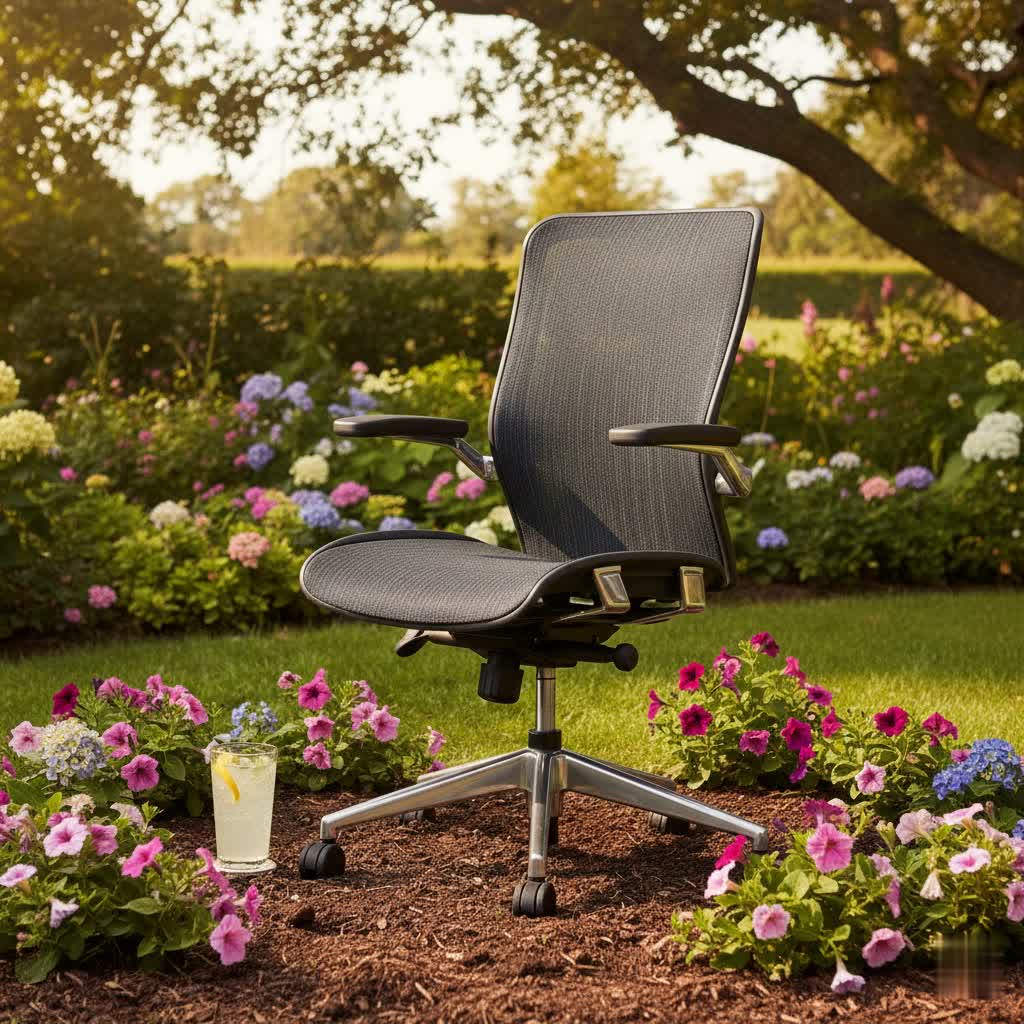
Office Chairs: An Overview and Their Benefits
An office chair is more than just a place to sit; it’s a vital tool that directly impacts your posture, comfort, and overall well-being during long working hours. The right chair can prevent pain, improve focus, and even enhance your mood. Investing in a high-quality office chair is an investment in your health and productivity.
The market offers a wide array of office chairs, each designed with specific functionalities and aesthetics. From basic task chairs to sophisticated ergonomic models, understanding these distinctions is the first step toward making an informed decision.
Benefits of a Quality Office Chair:
- Reduced Pain and Discomfort: Ergonomic chairs are engineered to support the natural curve of your spine, mitigating common issues like back, neck, and shoulder pain.
- Improved Posture: By promoting a neutral spinal position, a good office chair helps maintain proper alignment, reducing strain on muscles and joints.
- Increased Productivity: When you’re comfortable and free from pain, you can focus better on your tasks, leading to higher levels of productivity and job satisfaction.
- Long-Term Health Savings: While initially more expensive, a durable, ergonomic chair can prevent health issues that might incur future medical costs, making it a wise long-term investment.
- Enhanced Blood Circulation: Features like adjustable seat depth and flexible seat edges can reduce pressure on your legs, promoting healthy blood flow.
Classifying Office Chairs by Type
Office chairs come in various forms, each offering distinct advantages and catering to different preferences.
Swivel Office Chairs
These are the most common type of office chairs, characterized by their ability to rotate 360 degrees and often featuring wheels for easy movement. They are highly practical for dynamic workstations that require reaching different areas of a desk.
- Pros: High mobility, common and widely available, often adjustable in height.
- Cons: Basic models may lack advanced ergonomic support, can be less durable depending on material.
- Key Features: Swivel base, casters, gas lift for height adjustment.
|
Our Picks for the Best Office Chair in 2026
As an Amazon Associate I earn from qualifying purchases.
|
||
| Num | Product | Action |
|---|---|---|
| 1 | COMHOMA Big and Tall Office Chair 400LBS Wide Ergonomic Gaming Chair with Deluxe Embossing Designed Leather with Foot Rest,150°Reclining Adjustable Armrests Pocket Spring Back Support and Pillow |

|
| 2 | Vanity Chair with Wheels,Cute Cat Paw Office Chair with Back,360°Rotating Height Adjustable Armless Chair in Vibrant Color-Blocking,Small Desk Chair,Plush Cushion for Bedroom,Make-Up Room Home Office |
|
| 3 | Amazon Basics Ergonomic High-Back Office Chair with Flip-Up Arms, Adjustable Lumbar Support, Height Adjustable, 29.5"D x 27.5"W x 44.75"H, Black |
|
| 4 | Amazon Basics Classic Puresoft PU Padded Mid-Back Height Adjustable Office Computer Desk Chair with Armrest, 26"D x 23.75"W x 42"H, Black |
|
| 5 | Marsail Ergonomic Office Chair: Office Desk Chair with High Back Mesh and Adjustable Lumbar Support Rolling Work Swivel Task Chairs with Wheel 3D Armrests and Headrest |
|
| 6 | Amazon Basics Ergonomic Executive Office Desk Chair with Lumbar Support, Flip-up Armrests, Adjustable Height, Cream Leather |
|
| 7 | Big and Tall Office Chair with Footrest, High Back Executive Leather Desk Chair with Lumbar Support, Reclining Office Chair with Adjustable Angle, Home Office Ergonomic Computer Gaming Chair |
|
| 8 | TRALT Office Chair - Ergonomic Desk Chair with Adjustable Lumbar Support, Mesh Computer Chair, Executive Chairs for Home Office Comfortable Lumbar Support (Black) |
|
| 9 | BestOffice - Ergonomic Office Chair - Mid-Back Swivel Desk Chair - Breathable Backrest & Lumbar Support - Adjustable Height - Sponge Seat - Rolling Wheels - Dark Black - for Adults & Women |
|
| 10 | Amazon Basics Executive Desk Chair with Easy Assembly, 275lb Capacity, Oversized Cushion, 29.13"D x 25.2"W x 43.11"H, Ivory Bonded Leather |
|
Mesh Office Chairs
Mesh chairs are popular for their breathability, especially in warmer climates or for individuals who tend to get hot while working. The mesh material allows for excellent air circulation, preventing heat build-up.
- Pros: Excellent breathability and ventilation, lightweight, modern aesthetic. Many offer dynamic back support, like the Allseating® Fluid, which distributes body pressure evenly.
- Cons: Can be less plush than upholstered chairs, some users find the texture abrasive on clothing. Lumbar support can sometimes feel less substantial than in padded chairs.
- Best for: Those prioritizing airflow and a sleek look. Examples include the Hon Ignition 2.0 and the Steelcase Karman.
Leather Office Chairs
Leather chairs exude a sense of luxury and professionalism. They are often found in executive offices and typically offer a more cushioned feel than mesh chairs.
- Pros: Premium look and feel, durable if well-maintained, easy to clean spills, generally comfortable cushioning.
- Cons: Can be less breathable than mesh, potentially causing discomfort in warm environments. Higher price point, requires specific maintenance to prevent cracking.
- Best for: Executive settings, those seeking a luxurious aesthetic and feel, individuals who prefer padded comfort over extreme breathability.
Ergonomic Office Chairs
Ergonomic chairs are specifically designed to support the human body in a healthy and comfortable posture, even during extended periods of sitting. They offer a wide range of adjustability to fit various body types and work preferences. According to OSHA, an ergonomic chair should have adjustable seat height and depth, adjustable armrests, lumbar support, backrest recline, a swivel base, and appropriate seat cushioning.
- Pros: Superior support for long hours, significant reduction in back and neck pain, highly customizable to individual body types, promotes better posture.
- Cons: Typically have a higher price point, can have complex adjustments that require time to master, some designs might appear bulky.
- Why Choose: If you spend many hours at your desk, suffer from back pain, or want to proactively maintain your health, an ergonomic chair is a crucial investment. Top models like the Herman Miller Aeron and Steelcase Leap are renowned for their ergonomic benefits.
Comparison Table: Types of Office Chairs
| Feature | Swivel Office Chair (Basic) | Mesh Office Chair | Leather Office Chair | Ergonomic Office Chair |
|---|---|---|---|---|
| Price Range | Low ($50-$200) | Mid-Low to Mid-High ($100-$800+) | Mid-High to High ($200-$1000+) | Mid-High to Premium ($300-$2000+) |
| Material | Fabric/Basic Upholstery | Mesh (back and/or seat) | Genuine or PU Leather | Mesh, Fabric, Leather, Foam |
| Durability | Moderate | Moderate to High | High (with care) | High |
| Breathability | Moderate | Excellent | Low | Excellent to Moderate |
| Key Features | Height adj., Swivel, Casters | Breathable back, Lumbar support (often fixed), Height adj. | Padded, Height adj., Swivel | Full adjustability (height, depth, recline, lumbar, arms), advanced support systems |
| Best For | Light use, budget-conscious | Hot climates, modern offices | Executive look, padded comfort | Long hours, back pain, posture support |
| Comfort Level | Basic | Good (breathable) | Very Good (padded) | Excellent (customizable) |
Important Features to Consider When Buying
Choosing the best office chair means looking beyond aesthetics to its functional components.
- Adjustable Seat Height and Depth: Essential for ensuring your feet are flat on the floor or a footrest, with knees at a 90-degree angle. Adjustable seat depth helps avoid pressure behind the knees.
- Lumbar and Back Support: Good lumbar support follows the natural curve of your spine. Many ergonomic chairs offer adjustable lumbar support, allowing you to fine-tune the intensity and position for optimal lower back comfort. Some, like the Eurotech Vera, offer natural curves for excellent support even without explicit built-in lumbar systems.
- Adjustable Armrests: Armrests that can be adjusted for height, width, depth, and pivot (4D armrests) help support your arms and shoulders, reducing strain. Your elbows should ideally be at a 90-degree angle when typing.
- Backrest Recline and Tilt Mechanisms: A good recline function allows you to lean back and take pressure off your spine. Mechanisms like synchro-tilt (where the seat and back recline together) or multi-position tilt lock offer versatile recline options.
- Material and Breathability: Mesh backs are highly breathable, ideal for preventing heat build-up. Padded fabric or leather seats offer different levels of cushioning and aesthetics. Consider durability and ease of cleaning.
- Durability and Weight Capacity: A sturdy frame and high-quality components ensure the chair lasts for years. Check the manufacturer’s specified weight capacity to ensure it accommodates your needs. Premium chairs often come with long warranties, up to 12 years, even for 24-hour use.
How to Choose Your Best Office Chair: A Buying Guide
Finding the perfect office chair is a personal journey. Here’s a step-by-step guide to help you make the right choice:
- Determine Your Usage Needs: How many hours a day will you be sitting? If it’s more than 4-6 hours, an ergonomic chair with extensive adjustability is highly recommended. Consider if you have existing back pain or other musculoskeletal issues that require specific support.
- Set Your Budget: Office chairs range widely in price. Entry-level chairs (under $200) offer basic features but may lack durability and advanced ergonomics. Mid-range chairs ($200-$800) provide a significant leap in quality and adjustability for prolonged sitting. Premium and ultra-premium options ($800+) offer top-tier materials, comprehensive adjustability, and long warranties for intensive, long-term use.
- Assess Your Workspace: Measure your desk height and the available space to ensure the chair fits comfortably. Consider the aesthetics of your office; a mesh chair might suit a modern space, while a leather chair fits a traditional executive office.
- Prioritize Adjustability: The more adjustable a chair is, the better it can conform to your unique body shape. Look for independent controls for seat height, seat depth, backrest angle, lumbar support, and armrests.
- Consider Materials: Decide between breathable mesh, cushioned fabric, or luxurious leather based on your comfort preferences and climate.
- Try Before You Buy (If Possible): This is perhaps the most critical step. Sitting in a chair for 10-15 minutes can reveal a lot about its comfort and support. Pay attention to how the lumbar support feels, the cushioning of the seat, and the ease of adjustments.
- Check Warranty and Return Policy: Reputable brands offer substantial warranties (e.g., 5-12 years) and clear return policies, which are indicators of product quality and manufacturer confidence.
Top Picks: Most Popular Office Chairs
Here are some highly-regarded office chairs that frequently receive praise for their comfort, ergonomics, and value, catering to different budgets and needs.
Premium & Best Overall Value
- Herman Miller Aeron Chair: Often considered the gold standard in ergonomic chairs, known for its innovative design, PostureFit SL lumbar support, and breathable 8Z Pellicle suspension. It offers superior comfort and durability, though at a high price point.
- Steelcase Leap Chair: A favorite for its LiveBack technology that conforms to your spine’s movements, highly customizable adjustments, and exceptional lumbar support. It fits a wide range of users and is excellent for those who move a lot while seated.
- Haworth Soji: Praised as a “best value” from a major brand, offering comprehensive adjustability, effective lumbar support, and 4D armrests, backed by a 12-year warranty. It provides excellent support for average to slightly above-average builds.
Mid-Range & Ergonomic Upgrades
- Steelcase Amia: Considered one of the most comfortable chairs under $1000 (especially refurbished), featuring a LiveLumbar system for solid support and industry-leading 4-way adjustable arms. It’s best for short to average-sized users.
- Eurotech Vera: Offers exceptional value with a comfortable, naturally curved mesh backrest that provides excellent lower support, described as “floating on a hammock.” It includes a thick padded seat for extended sitting.
- Autonomous ErgoChair 2: Designed with a focus on affordability and ergonomics, it provides adjustable lumbar support, a breathable mesh backrest, and an adjustable headrest, offering great value for money.
Budget-Friendly & Reliable Options
- Aura Ergonomic Chair: A top recommendation for an excellent blend of comfort and support, offering exceptional adjustability for long hours of use at a competitive price.
- Hon Ignition 2.0 Ergonomic Office Chair: Features a breathable mesh back and a wide, cushioned seat, providing comfort for long work sessions. It’s a solid choice for those seeking good mesh support.
- Flash Furniture Mid-Back Task Chair: An affordable and dependable option with crucial lumbar support and a proven track record of durability.
Common Issues with Office Chairs and How to Resolve Them
Even the best office chairs can present challenges. Here are common issues and practical solutions:
- Back Pain While Sitting for Long Hours:
- Cause: Improper chair adjustment, poor posture, or lack of ergonomic support.
- Solution: Ensure your chair’s height, seat depth, lumbar support, and armrests are correctly adjusted for your body. Take regular breaks to stretch and move around. Consider an ergonomic chair if your current one lacks sufficient adjustability.
- Squeaky Chair:
- Cause: Loose bolts, lack of lubrication in moving parts (e.g., springs, cylinders), or friction between components.
- Solution: Tighten all screws and bolts, especially those connecting the seat, backrest, and base. Apply a silicone-based lubricant to moving parts like the tilt mechanism, casters, and gas lift cylinder.
- Chair Sinking or Losing Height:
- Cause: A faulty gas lift cylinder.
- Solution: The gas lift cylinder needs to be replaced. This is usually a straightforward repair that can be done at home with a replacement part, or by a professional.
- Wear and Tear (Upholstery, Casters):
- Cause: Regular use, friction, or exposure to elements.
- Solution: Regularly clean upholstery according to the material’s instructions. Replace worn-out casters (wheels) for smoother movement and to protect your flooring. Consider a chair mat for carpeted areas.
Cleaning and Maintenance of Office Chairs
Regular cleaning and maintenance extend the life and appearance of your office chair:
- Mesh: Vacuum regularly to remove dust. Spot clean with a mild soap and water solution, then blot dry.
- Fabric: Vacuum regularly. For spills, blot immediately with a clean cloth. Use a fabric cleaner or a solution of mild soap and water for tougher stains.
- Leather: Dust regularly with a soft cloth. Use a specialized leather cleaner and conditioner every few months to keep the material supple and prevent cracking. Avoid harsh chemicals.
- Moving Parts: Periodically check and tighten all screws. Lubricate moving mechanisms (like the tilt and height adjustment) with silicone spray to prevent squeaks and ensure smooth operation.
“A good office chair is not just a place to sit; it’s a partner that helps you work efficiently and comfortably.”
Conclusion
Choosing the best office chair is a critical decision for anyone spending significant time at a desk. It’s an investment in your health, comfort, and productivity. By understanding the different types of chairs, prioritizing ergonomic features, and considering your individual needs and budget, you can find a chair that perfectly supports you. Remember to look for adjustability, good lumbar support, and quality materials to ensure your chosen office chair serves you well for years to come.
What features are most important to you when selecting your next office chair?
Frequently Asked Questions
What is the most important feature of an ergonomic office chair?
The most crucial feature of an ergonomic office chair is its adjustability, particularly the ability to customize seat height, depth, and lumbar support. This allows the chair to conform to your unique body shape, promoting proper posture and significantly reducing discomfort during long work sessions. Without proper adjustability, a chair cannot effectively support diverse users.
How much should I spend on a good office chair?
The ideal amount to spend on an office chair varies based on usage. For light use (1-2 hours daily), a chair in the $100-$200 range might suffice. For daily use of 4-8 hours, investing $300-$800 in a mid-range ergonomic chair offers significantly better support and durability. If you sit for 8+ hours or have existing pain, premium chairs ($800+) are a worthy investment for their advanced ergonomics and longevity.
Can an office chair really help with back pain?
Yes, an ergonomic office chair can significantly help alleviate and prevent back pain. By providing adjustable lumbar support, proper spinal alignment, and customizable features, it reduces pressure on your spine and encourages a healthy posture. Many users report a notable reduction in back pain after switching to a well-adjusted ergonomic chair.
What’s the difference between a gaming chair and an office chair?
While some gaming chairs offer ergonomic features, traditional office chairs, especially high-end ergonomic models, are generally designed with a stronger focus on sustained comfort and health-oriented support for long workdays. Gaming chairs often prioritize aggressive styling, bucket seats, and features like headrest pillows, which might not always translate to optimal long-term ergonomic support for office tasks.
How often should I replace my office chair?
The lifespan of an office chair depends on its quality and usage. A basic office chair might need replacement every 2-3 years, while mid-range models typically last 5-7 years. High-end ergonomic chairs from reputable brands are built to last 10-12 years or more, often backed by extensive warranties. Regular maintenance can also extend a chair’s life.
Should I get a mesh or padded seat for my office chair?
The choice between a mesh or padded seat depends on personal preference and climate. Mesh seats offer superior breathability, preventing heat and sweat build-up, ideal for warmer environments. Padded seats, often found in fabric or leather chairs, provide a softer, more cushioned feel. Some chairs combine a mesh back with a padded seat for both breathability and comfort.
Are adjustable armrests really necessary?
Adjustable armrests are highly recommended, especially for prolonged computer use. They allow you to position your arms and shoulders comfortably, reducing tension in your neck and upper back. The ability to adjust height, width, depth, and pivot (4D armrests) ensures proper support and helps maintain an ergonomic posture, minimizing strain.
